
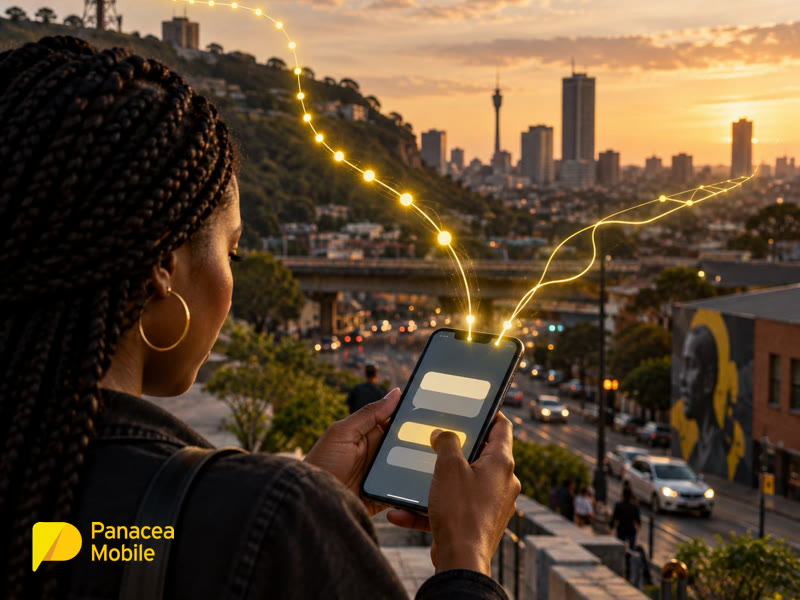
A customer gets halfway through signing up, then discovers the app needs an update. Another has a payment to approve but no mobile data. A third is waiting for a one-time password that arrives after they have given up.
None of them set out to assess your messaging infrastructure. They wanted to finish the job.
At Panacea Mobile, our starting point is the conditions customers actually have. A journey needs to work beyond the ideal combination of a current app, available data and a stable internet connection. SMS and USSD can help by giving customers another way to receive information or complete a short interaction. Each channel needs a clear purpose, though. A gateway can deliver a message; the journey still needs to tell someone what to do next.
Why do customers abandon the last step?
Sometimes the next step depends on something the customer cannot access. The phone works, but the app is missing, the notification is buried or the data balance has run out.
For onboarding, payments and account servicing, that can leave someone stuck after they have already invested time. A prompt that says “open the app” is little help if opening the app is the problem. The alternative should let them continue, rather than send them back to the same obstacle with slightly different instructions.
Start by finding that obstacle. Ask what the customer is trying to finish, what stops them and what information they need at that point. Then choose a channel that fits. SMS and USSD work without using the customer’s mobile data, but they still need mobile network coverage. Neither can promise a completed journey under every condition.
Should you use SMS, USSD or both?
Use SMS for information the customer needs to receive and USSD for a short, structured interaction. Connect them when the task needs both.
| Customer need | Useful starting point |
| Receive a reference, reminder or status update | SMS with a clear explanation or next step |
| Check a balance or choose a service option without mobile data | A short USSD menu |
| Submit a simple request and keep a record of the outcome | USSD interaction followed by SMS confirmation |
| Approve a sensitive action | A risk-appropriate verification process, which may include these channels |
This is a guide to choosing the next step, rather than a reason to add both channels everywhere. If a customer only needs a delivery reference, send it. If they need to upload documents, give them a suitable route for that task instead of squeezing it into a text menu.
How can SMS remove uncertainty for the customer?
An enterprise SMS gateway can connect a business event to a message explaining what happened and what comes next. The customer does not have to keep checking a portal or wonder whether a request disappeared.
For example, an application received by your system can trigger a reference number. An order dispatched can trigger a delivery update. A completed account request can trigger confirmation. These messages support customer retention by making everyday service easier to follow, and keep them specific: “We received your application” and a reference are more useful than “Your request is important to us.”
Behind the scenes, an HTTP API lets an application trigger messages and receive responses or delivery information. SMPP, or Short Message Peer-to-Peer, is another connection option for messaging operations with suitable traffic and integration needs. Panacea Mobile’s SMS gateway supports HTTP APIs and SMPP, with callbacks for delivery reports and replies. The Panacea Platform includes an SMPP v3.4 server. Choose the integration around the workflow, expected volume and reporting your team needs.
When does USSD give customers a simpler route?
A USSD gateway is useful when someone needs to make a few choices without using mobile data or downloading an app. The customer dials a code, such as *120*…#, and responds to a text menu during a live session.
That could be a balance enquiry, a service selection, a short survey or the first stage of a claim. Responses can pass to a connected business system, allowing the next step to reflect the customer’s choice. Our guide to USSD API integration explains this connection in more detail.
The menu still needs good design. Ask only for information needed at that stage, use familiar language and plan for incorrect responses or expired sessions. A data-free journey with twelve confusing options is still a confusing journey. Panacea’s USSD gateway supports standard, premium and zero-rated strings in South Africa, API integration and a dashboard campaign builder. With zero-rated USSD, the business covers the applicable session charges for the customer, removing that cost barrier to participation.
How do SMS and USSD work together in practice?
Connect the prompt, the customer’s response and the confirmation to the same business process. The customer should understand what happened at every handoff.
Starting an application
A customer begins an application through USSD without needing mobile data. The menu collects the minimum details for that stage and sends them to the business system. Once the request is accepted, an SMS gives them a reference and explains the next step.
If documents are needed later, explain how to supply them through a suitable channel. The benefit is an accessible start and a clear continuation, rather than a promise that the entire application can fit into USSD.
Making an account change
An SMS alerts a customer to a requested account change and explains the approved response process. Where the service design and security controls support it, USSD can collect a specific response. Once processed, an SMS confirms the outcome.
For a sensitive change, the response must sit within appropriate identity checks and account controls. A “yes” on a phone screen cannot carry that responsibility by itself.
Handling a routine account enquiry
A billing reminder includes a USSD route for a simple account enquiry. The customer makes a selection and receives confirmation of the result by SMS. Someone who needs more help can still reach support, while a straightforward question has a straightforward route.
These examples show where the channels can help. Their value depends on how well the steps connect and whether customers can complete the task.
How should security and consent shape the journey?
Match verification to the risk of the action, and keep personal information and messaging permissions under control. Ease of access should not become automatic approval.
SMS one-time passwords can form part of out-of-band authentication, but phone access alone does not establish the legitimate account holder’s identity. SIM changes, number porting and social engineering need consideration. NIST’s authentication guidance treats authentication through the public telephone network as restricted and recommends assessing relevant risk indicators. Higher-risk actions may need stronger verification.
Keep service messages focused on the task and avoid unnecessary personal information. For promotional communication, review consent and opt-out handling against the Information Regulator’s POPIA direct-marketing guidance. A useful notification and a marketing campaign need separate consideration.
What should you check before choosing a gateway provider?
Check how the service will support the whole journey during normal use and busy periods. A polished demonstration is a start; your customers will also enter the wrong answer on a busy Tuesday.
- Capacity and visibility: Can the service handle your expected traffic, and can your team see delays, failures and session outcomes?
- Integration: Can messages and responses reach the right systems through APIs or SMPP without manual handoffs?
- Customer access: Who pays for the session, which code or number does the customer see, and what happens if a step fails?
- Security and privacy: How are access, logs and customer information managed, and which controls support sensitive actions?
Test the failure paths as carefully as the successful ones. That includes an expired session, an undelivered SMS and a customer who tries again. They need a clear outcome each time.
How do you know the journey is working?
Measure the final action alongside messaging performance. Delivery information helps you locate a problem, but it cannot tell you whether the customer understood the instructions or completed the task.
Track SMS acceptance, delivery and latency; USSD session starts, completions and timeouts; customer drop-off points; resulting support contacts; and the final business outcome. If customers consistently drop off at the same menu option, review and improve that step before sending additional reminders.
Our view is that the infrastructure and the customer experience need to be assessed together. Reaching more phones is useful when the people holding them have a practical way to continue.
Frequently asked questions
Does USSD need mobile data?
No. It needs a mobile network connection and a functioning session but does not use the customer’s mobile data or need an app.
Is zero-rated USSD free for the business?
No. The customer is not billed for the session; the business covers the applicable charges. Check tariffs and expected usage before launch.
Does an SMS delivery report confirm conversion?
No. Connect delivery reporting to completion events in your application or business system to see what happened next.
Can SMS and USSD secure a high-risk action alone?
Neither channel automatically proves identity. Use verification and account controls suited to the transaction risk.
Build for the conditions your customers actually have
Start with one journey where customers get stuck. Identify what they need to receive, what they need to do and how they will know it worked. Then test those steps under real customer and traffic conditions.
Panacea Mobile provides SMS and USSD services with integration options for existing business systems. Talk to our team about where a prompt, a short interaction or a clear confirmation could help your customers finish the job.